


HomePayroll & peoplePayroll & Benefits Administration

The best payroll & benefits administration software in 2026

We evaluated 47 payroll & benefits administration software against one rubric of 10 criteria, using each vendor's own pricing and documentation plus independent sources. The 19 core tools are ranked below; specialists and related tools are grouped by the job they do best.

By What Are BestUpdated November 14, 2026

How we make money: some "Visit" links pay us a commission if you buy. It never changes a score or the order. How we evaluate.

Pay envelopes, a piggy bank, a stethoscope and a small plant on pink paper
Top pick
ADP8.8

A healthcare-focused payroll and HR platform with shift differential automation and EHR integrations.

Read the review
Runner-up
Gusto8.8

Payroll and HR platform automating multi-state tax filing and new-hire reporting.

Read the review
Also great
Rippling8.7

Unified HR, IT and finance platform automating benefits enrollment, device provisioning and ACA/COBRA compliance.

Read the review

The ranking: 19 payroll & benefits administration software by score

Scores run from 8.0 to 8.8. The top five are within 0.2 points of each other, so your plan, price and must-have features should decide between them.

1

ADPTop pick

Quote onlyFree trialSOC 2

8.8

ADP signs HIPAA BAAs; one user reported a $1,500 401(k) exit fee

ADP offers the deepest payroll lineup here: RUN for small businesses, Workforce Now for mid-sized firms, health compliance and COBRA services, and global payroll in 140+ countries. It suits employers that want one provider to grow with. Every product is quote-only, benefits features vary by bundle, and reviewers report a learning curve.

Price: RUN Powered by ADP (Essential, Enhanced, Complete, HR Pro) and Workforce Now (Select, Plus, Premium): all quote-only
Add-ons and limits: Benefits administration on Workforce Now Plus and up; extra carrier connections cost more outside Comprehensive Benefits; SmartCompliance priced separatelyChecked Nov 14, 2026 · pricing page

Strengths

  • Signs HIPAA Business Associate Agreements
  • Tracks license and certification expirations
  • Massive EHR integration marketplace

Watch out for

  • Cancellation fees up to $1,500
  • Implementation called a 'nightmare' by users
  • Support quality reported as inconsistent
Who it suits

Best for

  • Large healthcare enterprises requiring complex, multi-state payroll
  • Organizations needing deep scalability and extensive third-party integrations
  • Companies requiring advanced workforce management and analytics

Not ideal for

  • Small practices with limited budgets due to higher costs
  • Users seeking a highly personalized, rapid customer support experience
  • Organizations wanting a modern, highly intuitive user interface
Scores on 11 criteria
  • Payroll calculation & payments9.1RUN and Workforce Now run full-service payroll with AI-enabled error flagging, direct deposit and contractor pay; Workforce Now for larger employers. source: adp.com
  • Tax withholding, filing & year-end forms9.0Files federal, state and local payroll taxes with authorization and e-files W-2 and 1099 forms; penalty coverage terms not published. source: adp.com
  • Benefits enrollment & administration8.8Benefits administration in Workforce Now Plus and Premium; carrier connections unlimited only in Comprehensive Benefits, 3 in other bundles, extras cost more. source: adp.com
  • ACA, COBRA & benefits compliance9.0SmartCompliance Health Compliance handles eligibility and 1094-C/1095-C; COBRA administration listed in Comprehensive Services via WageWorks referral. source: adp.com
  • Employee self-service9.0RUN mobile app gives employees pay statements and tax forms; owners run payroll from the app. source: adp.com
  • Accounting, time & carrier integrations9.0ADP Marketplace with hundreds of apps; RUN names QuickBooks, Xero and Clover POS integrations. source: adp.com
  • Ease of use & time to value8.4G2 reviewers praise ease of use but 210 cite a challenging learning curve; support complaints recur across review sites. source: g2.com
  • Total cost & pricing transparency7.0RUN, Workforce Now and Comprehensive Services all say Get Pricing; no public figure. source: adp.com
  • Product track record9.4RUN 4.7/5 from about 6,600 G2 reviews (2026), used by 900,000+ small businesses; Workforce Now a NelsonHall payroll services Leader. source: adp.com
  • Security & access control9.2SOC 1 Type 2 and SOC 2 Type 2 reports and ISO 27001/27701 for select products and locations; MFA not stated on page. source: adp.com
  • Multi-country payrollnot scored9.3ADP Global Payroll covers 140+ countries and territories; Everest Group 2025 Multi-country Payroll PEAK Matrix Leader. source: adp.com
Documented weaknesses (3)
  • Documented 'cancellation fees' of up to $1,500 for terminating specific services like 401(k) plans. source: reddit.com
  • Numerous user reports of 'nightmare' implementation processes and unresponsive customer support. source: reddit.com
  • Involvement in class-action lawsuits regarding overtime calculations and meal break deductions. source: govinfo.gov
Questions (2)
Does ADP sign a HIPAA Business Associate Agreement?
Yes. ADP executes Business Associate Amendments for covered entities to comply with HIPAA regulations, per its own BAA documentation.
Are there fees to cancel ADP services?
One user reported being charged a $1,500 fee when moving a 401(k) plan away from ADP. ADP does not publish its termination fees, so ask for them in writing before signing.

2

Gusto

$79/mo for fiveFree trialSOC 2

8.8

Gusto multi-state payroll needs Plus: $80/mo + $12/person

Gusto is a self-serve payroll, benefits and HR platform for US small businesses, with published prices, automatic tax filing and built-in health benefits brokerage. Single-state employers get the most value on Simple; multi-state employers must move to Plus. Support wait times and partner-run COBRA and international hiring are the main limits.

Price: Simple $49/mo + $6/person (1 state); Plus $80 + $12/person (multi-state); Premium $180 + $22/person; monthly, no contract
Add-ons and limits: Multi-state needs Plus or Premium; broker integration $6/employee/mo for new Premium accounts (from Oct 1, 2026); ACA filing add-on $1,250/yr when benefits are broker-integrated; COBRA $30/company/mo when broker-connected; Business Compliance add-on $85/state/mo on annual contract (Simple/Plus)Checked Nov 14, 2026 · pricing page

Strengths

  • Automated multi-state tax filing
  • Built-in health benefits brokerage
  • SOC 2 Type II report (Sept 2025)

Watch out for

  • Multi-state needs pricier plan
  • Support wait times reported long
  • COBRA and ACA filing add-ons cost extra
Who it suits

Best for

  • SMBs needing an all-in-one HR and payroll platform.
  • Startups wanting automated multi-state tax filing.

Not ideal for

  • Large enterprises with international payroll needs [cite: 2].
  • Companies looking for the lowest cost basic payroll [cite: 2, 4].
Scores on 11 criteria
  • Payroll calculation & payments8.8Full-service payroll with unlimited runs and direct deposit; gross-to-net detail could not be read on gusto.com (403), verified via help-center excerpts. source: gusto.com
  • Tax withholding, filing & year-end forms8.7Files federal, state and local taxes each run and e-files W-2s and 1099s; no published penalty guarantee, terms only conditional reimbursement. source: support.gusto.com
  • Benefits enrollment & administration8.7Gusto is the broker for health benefits on any plan or connects your broker; broker integration now $6/employee/mo on new Premium; not all states. source: support.gusto.com
  • ACA, COBRA & benefits compliance8.4Files 1094-C/1095-C for Gusto-managed benefits at 50+ FTEs; $1,250/yr add-on when broker-integrated; COBRA through partner Anuvi. source: support.gusto.com
  • Employee self-service8.8Employees download W-2s, 1099s and pay stubs in their own accounts; Gusto mobile app for employees. source: gusto.com
  • Accounting, time & carrier integrations8.8Integrations directory incl. QuickBooks, Xero and compliance tools (Vanta, Drata); public embedded payroll API; directory count not verified (site blocked). source: gusto.com
  • Ease of use & time to value8.8Self-serve setup and wide user praise for the interface; recurring complaints about support wait times on complex tax issues. source: g2.com
  • Total cost & pricing transparency9.0Published: Simple $49 + $6/person, Plus $80 + $12, Premium $180 + $22, no contract; multi-state forces Plus. source: gusto.com
  • Product track record9.04.6/5 from about 11,800 G2 reviews (Nov 2026); Gusto states 500,000+ businesses served. source: g2.com
  • Security & access control8.6Security page says SOC 1 and SOC 2 reports refreshed yearly via NDA Trust Center; Type II named only on the embedded API page. source: gusto.com
  • Multi-country payrollnot scored6.5International employees only through Gusto Global EOR powered by Remote; no native multi-country payroll. source: support.gusto.com
Questions (2)
Does Gusto charge extra for multi-state payroll?
Yes, indirectly. The Simple plan at $49 a month covers only single-state payroll. Multi-state needs the Plus plan at $80 a month plus $12 per employee.
Is Gusto customer support responsive?
Reviews are mixed. Users report long wait times and unhelpful responses for complex tax compliance questions, despite praising the interface.
3

Rippling

Quote onlyFree trialSOC 2

8.7

Rippling links 600+ apps to auto-provision new hires

Rippling combines payroll, benefits administration, ACA filing and COBRA with IT and finance tools on one employee record, with deep carrier and app integrations and strong audited security. It suits growing companies that want HR and IT automation together. Limits: the base fee and module prices need a quote, and costs rise as modules are added.

Price: From $8/employee/mo plus a monthly base fee (amount not published); payroll, benefits and other modules by custom quote
Add-ons and limits: Payroll and Benefits are separate modules on the Rippling platform; base fee requiredChecked Nov 14, 2026 · pricing page

Strengths

  • 600+ app integrations with provisioning
  • Automated ACA and COBRA compliance
  • Holds SOC 2 Type II and ISO 27001

Watch out for

  • Modular pricing adds up quickly
  • Support response times vary
  • No free trial available
Who it suits

Best for

  • Tech-centric businesses wanting workflow automation.
  • Companies needing unified HR, IT, and finance tools.

Not ideal for

  • Small teams needing only basic, simple payroll.
  • Companies intimidated by a steep learning curve.
Scores on 11 criteria
  • Payroll calculation & payments8.7Automatic tax calculation, unlimited payroll runs at no extra charge, contractor and employee pay; garnishments not described on payroll pages. source: rippling.com
  • Tax withholding, filing & year-end forms8.6Files 941s, W-3s, new hire and state tax forms; W-2s and 1099s generated; no published penalty guarantee. source: rippling.com
  • Benefits enrollment & administration9.1Native enrollment, in-house broker or your own, 500+ EDI/API carrier integrations, deductions always sync with payroll. source: rippling.com
  • ACA, COBRA & benefits compliance9.0Generates and files 1094-C with the IRS, distributes 1095-C; COBRA notices and premium collection. source: rippling.com
  • Employee self-service8.5Employees download W-2s and keep tax forms after leaving; mobile app not detailed on the pages read. source: rippling.com
  • Accounting, time & carrier integrations9.3650+ integrations; accounting with Xero, QuickBooks, NetSuite; Slack, Teams, Salesforce. source: rippling.com
  • Ease of use & time to value8.5G2 4.8/5 from 13,473 reviews (Sep 2026); Forrester TEI is Rippling-commissioned, 5 customers interviewed. source: g2.com
  • Total cost & pricing transparency7.0From $8/employee/mo plus a monthly base fee whose amount is not published; payroll and benefits by custom quote. source: rippling.com
  • Product track record9.2G2 4.8/5 from 13,473 reviews (Sep 2026); Leader on G2 Spring 2026 Mid-Market Payroll Grid. source: rippling.com
  • Security & access control9.4SOC 1 Type II, SOC 2 Type II, SOC 3, ISO 27001, 27018, 42001, CSA STAR Level 2; app access logged. source: rippling.com
  • Multi-country payrollnot scored8.3Global payroll pays employees and contractors abroad; country count not stated on the global payroll page. source: rippling.com
Documented weaknesses (3)
  • Users frequently report slow response times and unhelpful interactions with customer support for complex issues. source: bbb.org
  • The modular pricing structure is opaque, with costs that can escalate quickly as add-ons are required, and full pricing is not publicly listed. source: peoplemanagingpeople.com
  • Some users have documented implementation bugs and issues with carrier feed synchronizations. source: reddit.com
Questions (2)
What does Rippling cost?
Rippling plans start at $8 per employee a month plus a monthly base fee that Rippling does not publish. Payroll, benefits and other modules are priced by custom quote.
Does Rippling automate ACA and COBRA compliance?
Yes. It automatically handles ACA tracking, reporting, filings and COBRA notices and payments.
4

Paychex

Quote onlyFree trialSOC 2

8.6

Paychex pays 1 in 11 US private-sector workers, prices only by quote

Paychex Flex is a full-service payroll, tax and benefits platform with carrier connections, ACA support, COBRA through its insurance agency and a strong audited security program. It suits growing and mid-sized employers that want service and benefits in one place. Every plan is quote-only, and support quality draws frequent complaints.

Price: Paychex Flex Basic, Foundations, Advanced, Complete: all quote-only; no published prices
Add-ons and limits: Benefits administration, time and attendance and HR analytics each priced by quote; COBRA via Paychex Insurance Agency at 2% of premiumChecked Nov 14, 2026 · pricing page

Strengths

  • Pays 1 in 11 US private-sector workers
  • ISO 27001; SOC 1 and SOC 2 Type 2 reports
  • Mobile app rated 4.8 of 5

Watch out for

  • No published prices for any plan
  • Support rep turnover reported
  • Interface called dated by some
Who it suits

Best for

  • Mid-sized businesses needing robust HR compliance.
  • Scaling companies requiring multi-state payroll.

Not ideal for

  • Very small startups wanting a simple DIY payroll app [cite: 18, 20].
  • Businesses that require fully transparent pricing [cite: 20, 21].
Scores on 10 criteria
  • Payroll calculation & payments9.0Full-service payroll in Paychex Flex with four plans; run payroll in as few as two clicks, plus 1099 contractor payments. source: paychex.com
  • Tax withholding, filing & year-end forms9.1Calculates, withholds and remits taxes for every state employees work in; Tax Penalty Protection for Flex launched Oct 19, 2026, limits unpublished. source: paychex.com
  • Benefits enrollment & administration8.9Flex Benefits Administration: self-service enrollment, connections to hundreds of national and regional carriers, synced with payroll; priced by quote. source: paychex.com
  • ACA, COBRA & benefits compliance8.5Helps with ACA reporting requirements and prepares 1094-C/1095-C; COBRA through Paychex Insurance Agency (2% fee). source: paychex.com
  • Employee self-service9.0Paychex Flex mobile app for running payroll and approving time off, plus employee self-service with MFA. source: paychex.com
  • Accounting, time & carrier integrations8.5Compatible with dozens of applications, named Xero, QuickBooks, Indeed, Jirav; no full list or API detail on page. source: paychex.com
  • Ease of use & time to value8.0Self or specialist onboarding offered; G2 reviewers cite slow support and late tax filings among complaints. source: g2.com
  • Total cost & pricing transparency7.0All four payroll plans and benefits admin show Request Pricing only; no public figure. source: paychex.com
  • Product track record8.44.1/5 from about 1,700 G2 reviews (all Paychex products) and about 1,800 Capterra reviews for Flex, Nov 2026. source: g2.com
  • Security & access control9.3Security page states SOC 1 Type 2 and SOC 2 Type 2 reports, ISO 27001 certificate IS 801702, MFA in Flex. source: paychex.com
Questions (2)
How much does Paychex cost?
Paychex publishes no prices: all four payroll plans (Basic, Foundations, Advanced and Complete) require a custom quote.
How large is Paychex's customer base?
Paychex reports about 840,000 customers and says it pays 1 in 11 US private-sector workers, as of May 31, 2026.
5

Paylocity

Quote onlyFree trialSOC 2

8.6

Paylocity automates PBJ reporting, support turnover frustrates users.

Paylocity is a full-suite US payroll and HR platform with native benefits administration, carrier file feeds, ACA filing and COBRA modules, and a large integration marketplace. It fits mid-size employers (average client 150+ employees) wanting one system. Main limitations: quote-only pricing and mixed support reports.

Price: Paylocity payroll and HCM: quote only, no published prices; $22-$32 per employee/mo figures are third-party estimates
Add-ons and limits: Benefits administration, Carrier EDI Files, COBRA and ACA Enhanced are separate modules priced by quoteChecked Nov 14, 2026 · pricing page

Strengths

  • Automated PBJ reporting for CMS compliance
  • Credential and license tracking for staff
  • ISO 27001 and HIPAA compliant

Watch out for

  • Inconsistent customer support quality
  • Reports of tax filing errors
  • LMS module lacks advanced features
Who it suits

Best for

  • Mid-sized to large healthcare organizations (50-1,000+ employees)
  • Companies prioritizing employee engagement and community features
  • Organizations wanting to consolidate HR and payroll on a single cloud platform

Not ideal for

  • Very small businesses (under 50 employees) finding it too complex
  • Companies wanting a simple, low-cost, payroll-only solution
  • Organizations with limited budgets for implementation
Scores on 11 criteria
  • Payroll calculation & payments8.8Full-service payroll with multi-state support and same-day earned wage access from the mobile app; garnishment detail not readable on site. source: docs.paylocity.com
  • Tax withholding, filing & year-end forms8.8Tax services file federal, state and local taxes and prepare W-2s and 1099-MISC; no penalty guarantee found. source: paylocity.com
  • Benefits enrollment & administration8.8Native benefits administration with carrier file transfers and Carrier EDI Files module, plus bswift and Benefits Connect partners. source: paylocity.com
  • ACA, COBRA & benefits compliance8.6ACA Enhanced lets Paylocity file 1094-C and 1095-C as limited agent; COBRA administration offered as a module. source: docs.paylocity.com
  • Employee self-service8.8Native iOS and Android app with W-2 view and wages on demand; 1095-C viewable only on the full web site. source: docs.paylocity.com
  • Accounting, time & carrier integrations9.1350+ marketplace integrations; direct general ledger connections to QuickBooks Online and NetSuite added June 2025. source: paylocity.com
  • Ease of use & time to value8.2Broad suite with configurable setup; G2 page could not be re-read, and support turnover complaints rest on forum posts. source: paylocity.com
  • Total cost & pricing transparency6.8No public prices; quote only. Third-party estimates of $22-$32 per employee per month are not vendor figures. source: paylocity.com
  • Product track record8.6About 41,650 clients averaging 150+ employees as of June 30, 2025 (Form 10-K); no analyst Leader placement found. source: sec.gov
  • Security & access control9.0Annual SOC 1 and SOC 2 Type II attestations, ISO 27001 certified, AES-256 backups, TLS, encryption at rest. source: paylocity.com
  • Multi-country payrollnot scored7.5Global payroll through partner Blue Marble rather than native multi-country payroll. source: paylocity.com
Documented weaknesses (3)
  • Numerous user reviews cite poor customer support experiences, including high turnover of account managers, long wait times, and difficulty reaching knowledgeable representatives. source: g2.com
  • There are documented user complaints regarding payroll tax filing errors, including incorrect state tax setups and challenges in getting the vendor to resolve resulting penalties. source: reddit.com
  • Users have reported that the Learning Management System (LMS) lacks depth and advanced features compared to the core payroll and HR modules. source: g2.com
Questions (2)
Does Paylocity handle PBJ reporting for skilled nursing facilities?
Yes. It automates Payroll-Based Journal reporting to meet CMS requirements, according to its healthcare industry page.
How much does Paylocity cost for healthcare organizations?
Third-party research estimates $22-$32 per employee per month on a modular PEPM model, though exact pricing requires a custom quote.
6

Dayforce

Quote onlySOC 2

8.5

Dayforce recalculates pay as time is punched, but pricing is quote-only

Dayforce Payroll suits employers with large workforces, often hourly, who want payroll, time, benefits and on-demand pay on one record that recalculates as time is captured, with tax filing through Dayforce's own service and payroll in many countries. Prices are quote-only, and COBRA administration and a tax-penalty guarantee are not stated.

Price: Dayforce Payroll: quote only, no published prices; sold by module as an enterprise license or per user
Add-ons and limits: Benefits, tax filing service, ACA Services and Wallet are separate modules or services; pricing depends on modules and ACA filing needsChecked Nov 14, 2026 · pricing page

Strengths

  • Net pay recalculated as time is entered
  • Scheduling, time and payroll in one system
  • Fee-free on-demand pay for employees

Watch out for

  • No published prices; demo required
  • Real-time calc only in some countries
  • Native payroll countries not published
Who it suits

Best for

  • Retail, hospitality and service chains paying large hourly crews
  • Employers offering on-demand pay to help retain hourly staff

Not ideal for

  • Small businesses below Dayforce's 100-employee segments
  • Teams that want a self-serve plan with list prices
Scores on 11 criteria
  • Payroll calculation & payments9.2Dayforce Payroll continuously calculates pay as time is captured; garnishment management and on-demand pay via Dayforce Wallet on the same platform. source: dayforce.com
  • Tax withholding, filing & year-end forms8.7Tax filing service files returns across thousands of US jurisdictions through an AAA-rated tax trust; no penalty guarantee stated. source: dayforce.com
  • Benefits enrollment & administration8.7Native benefits share payroll's codebase, open enrollment in the mobile app, carrier feed exports via API; EDI detail not on product page. source: dayforce.com
  • ACA, COBRA & benefits compliance8.0ACA 1094-C/1095-C filing through Dayforce ACA Services subscription; COBRA administration not found on Dayforce pages. source: go.dayforce.com
  • Employee self-service9.0Mobile app lets employees update benefits elections; year-end forms under Earnings; on-demand pay in Dayforce Wallet. source: help.dayforce.com
  • Accounting, time & carrier integrations8.3Documented REST API including benefits carrier feed exports; named accounting and time integrations not listed on pages checked. source: help.dayforce.com
  • Ease of use & time to value8.0Enterprise implementation by module; Capterra 4.3 from about 1,060 reviews (2026 snapshot); G2 reviewers cite a steep setup learning curve. source: capterra.com
  • Total cost & pricing transparency6.5No published prices; sold by module as an enterprise license or per user, quote only. source: dayforce.com
  • Product track record9.4Everest Group Leader, US Payroll Platforms PEAK Matrix 2025 (midmarket, large enterprise); 7,025 customers live as of Sept 30, 2025. source: dayforce.com
  • Security & access control9.0Information security page states ISO and SOC 2 Type II attestations; reports via Due Diligence Portal. SSO and audit logs not detailed. source: dayforce.com
  • Multi-country payrollnot scored8.8Payroll offered in more than 200 countries and territories, but same page also says 160; real-time calculation only in unlisted countries. source: dayforce.com
Documented weaknesses (3)
  • Dayforce publishes no prices; buyers must book a demo or sales call, and its sales segments start at 100 employees, leaving small hourly employers without a clear entry option. source: dayforce.com
  • Dayforce claims payroll in 200+ countries, but its own regional page also says 160 and limits real-time calculation to participating countries; it does not publish which countries run on its native engine. source: dayforce.com
  • Reviews on Software Advice and other review sites report slow support responses, difficult implementations and complex configuration. source: softwareadvice.com
Questions (2)
Does Dayforce charge employees for on-demand pay?
Dayforce says on-demand pay through Dayforce Wallet is free, though fees may apply to certain card and account transactions. Employers decide whether to offer it.
In how many countries can Dayforce run payroll?
Dayforce's global payroll page says it offers payroll in more than 200 countries and territories, while another section of the same page says employees can be paid in over 160 countries. Continuous calculation applies only in participating countries, which Dayforce does not list, so confirm coverage country by country.
7

OnPay

$79/mo for fiveFree trial

8.5

OnPay: $49/mo + $6/worker, multi-state included

OnPay is a US small-business payroll service with one published price, multi-state filing included and an error-free tax guarantee. It suits employers under about 50 people who want predictable cost and in-house benefits brokerage. Limits: no stated ACA or COBRA administration, a short integration list and no employer mobile app.

Price: Payroll Essentials $49/mo + $6/worker/mo; HR add-on $15 + $2/worker; Time Tracking $15 + $4/worker; $10 per mailed W-2
Add-ons and limits: Benefits admin free (pay plan premiums); Compliance Resources $10/mo; Live HR Support $65/mo; first month free offerChecked Nov 14, 2026 · pricing page

Strengths

  • Transparent pricing, no hidden fees
  • Unlimited monthly payroll runs
  • Multi-state payroll at no extra cost

Watch out for

  • Time tracking is a paid add-on
  • No dedicated employer mobile app
  • Fewer integrations than Gusto or Rippling
Who it suits

Best for

  • Small businesses with fewer than 50 employees.
  • Farms, dental offices, and healthcare practices.

Not ideal for

  • Large enterprises needing robust HR analytics.
  • Users who require a dedicated mobile app.
Scores on 10 criteria
  • Payroll calculation & payments8.9Unlimited pay runs, garnishments in two clicks, free direct deposit, debit card or printed checks. source: onpay.com
  • Tax withholding, filing & year-end forms8.9Automatic tax filings and payments in all 50 states with an error-free guarantee; W-2s and 1099s handled at year end. source: onpay.com
  • Benefits enrollment & administration8.2In-house agency sells plans from named carriers; employees self-enroll, premiums deducted automatically; no broker-integration or EDI detail stated. source: onpay.com
  • ACA, COBRA & benefits compliance6.5ACA 1094-C/1095-C filing and COBRA administration are not mentioned on OnPay's product or pricing pages. source: onpay.com
  • Employee self-service8.3Employee self-service portal plus OnPay Mobile employee app (pay, hours, PTO); no employer app. source: onpay.com
  • Accounting, time & carrier integrations8.2Named: QuickBooks Online and Desktop, Xero, QuickBooks Time, Deputy, When I Work, Vestwell; no API stated. source: onpay.com
  • Ease of use & time to value9.0Free data migration and setup; G2 reviewers most often praise ease of use and onboarding. source: g2.com
  • Total cost & pricing transparency9.5One published plan: $49/mo + $6/worker, multi-state included; add-ons priced; only $10 per mailed W-2. source: onpay.com
  • Product track record8.74.8/5 on G2 (about 410 reviews) and Capterra (about 470), Nov 2026; smaller review base than leaders. source: capterra.com
  • Security & access control8.8Security page states SOC 2 Type II, role-based access controls, internal MFA; client MFA only encouraged, no audit-log detail. source: onpay.com
Documented weaknesses (3)
  • OnPay's mobile app serves employees only; earlier App Store reviews cited missing features such as W-2 downloads, though it is now rated 4.8/5 from 919 ratings. Severity should drop. source: apps.apple.com
  • Time tracking is not in the base price: OnPay's Time Tracking add-on costs $15 a month plus $4 per worker, or users rely on integrations like Deputy or QuickBooks Time. source: onpay.com
  • There is no native mobile app available for employers to run payroll, forcing reliance on mobile web browsers. source: me.pcmag.com
Questions (2)
Is there an HR add-on for OnPay?
Yes. An optional HR module costs $15 plus $2 per worker per month, layered on top of the base payroll price.
How many integrations does OnPay offer?
It connects with core tools like QuickBooks, Xero, Deputy, and When I Work, though its overall integration marketplace is smaller than rivals like Gusto or Rippling.
8

APS

$416.67/mo for fiveFree trialSOC 2

8.4

APS publishes payroll prices, but a $416.67 monthly minimum applies

APS is a US payroll and HR platform with published per-employee pricing, a tax filing guarantee and add-on ACA, benefits and COBRA administration. It suits mid-size employers that want visible prices and service help. Main limitation: a $416.67 monthly minimum that makes it costly for small teams, and add-ons priced only by quote.

Price: APS Payroll $6/employee/mo + $50/mo base, $416.67/mo minimum (one state, 25-100 staff); ACA, benefits, COBRA extra
Add-ons and limits: ACA Alerts and Annual Reporting, and Benefits and COBRA Administration with Open Enrollment, cost extra (quote)Checked Nov 14, 2026 · pricing page

Strengths

  • Automated PBJ reporting
  • Tracks license and certification expirations
  • Publishes per-employee pricing

Watch out for

  • $416.67 monthly minimum applies
  • ACA, benefits and COBRA admin cost extra
  • Custom reporting can be glitchy
Who it suits

Best for

  • Mid-sized healthcare facilities needing automated PBJ reporting
  • Organizations with complex shift differentials and overtime rules
  • Companies wanting a unified platform with strong customer support

Not ideal for

  • Businesses relying heavily on NetSuite (integration is manual)
  • Large enterprises needing global payroll capabilities
  • Companies needing advanced, native AI recruitment features
Scores on 10 criteria
  • Payroll calculation & payments8.5Direct deposit and paycards, on-demand pay, expense management; garnishments and off-cycle runs not described. source: apspayroll.com
  • Tax withholding, filing & year-end forms8.7Automatic filing and payment of federal, state and local taxes, backed by a tax payment and filing guarantee; W-2 not named. source: apspayroll.com
  • Benefits enrollment & administration8.3Open enrollment, life events, e-signed elections and Carrier Connections, but benefits administration is an extra-cost add-on. source: apspayroll.com
  • ACA, COBRA & benefits compliance8.8Guided 1094-C/1095-C e-filing with printing and mailing, hours-based eligibility tracking, COBRA administration; both extra cost. source: apspayroll.com
  • Employee self-service8.5APS Mobile App gives the same self-service as the web portal: pay, schedules, time off. source: apspayroll.com
  • Accounting, time & carrier integrations7.9Named Sage Intacct, QuickBooks, 401(k) and Employee Navigator integrations; no public API or carrier list shown. source: apspayroll.com
  • Ease of use & time to value8.4APS cites 4.6 stars from 860 G2 reviews (Nov 2026, vendor-quoted); its 98% CSAT is a vendor-reported figure. source: apspayroll.com
  • Total cost & pricing transparency8.6Published $6/employee/mo plus $50 base, $416.67/mo minimum; ACA and benefits add-ons are unpriced. source: apspayroll.com
  • Product track record8.0860 G2 and 600 Software Advice reviews cited by APS; 'thousands of organizations', no analyst placement. source: apspayroll.com
  • Security & access control8.02024 SOC 1 Type 2 report, GovRAMP, TX-RAMP, 2FA, role-based access, audit trails; no SOC 2 Type II or ISO 27001. source: security.apspayroll.com
Documented weaknesses (3)
  • Users report functionality issues and lower satisfaction with the mobile application compared to the desktop experience. source: jibble.io
  • Some users find the custom reporting features to be glitchy or difficult to navigate when merging multiple data sets. source: g2.com
  • A minimum monthly billable price of roughly $416 applies, which may be a barrier for very small practices. source: g2.com
Questions (2)
How much does APS Payroll cost?
Listed payroll pricing starts at $6 per employee monthly plus a $50 base fee, with a $416.67 monthly minimum; the estimate covers one state, and ACA reporting, benefits and COBRA administration cost extra.
Does APS handle PBJ reporting automatically?
Yes. It tracks, flags, and reports Payroll-Based Journal requirements alongside license and certification expirations, a core need for long-term care compliance.
9

Workday

Quote onlySOC 2

8.4

Workday Payroll runs on Workday HCM's data; prices by quote only

Workday Payroll runs inside Workday HCM, sharing one data model with HR, benefits and time, with strong security credentials and global reach through partners. It suits large enterprises already on Workday. Limitations: quote-only pricing, long consultant-led rollouts, and US tax filing that needs a separate provider such as ADP or MasterTax.

Price: Workday Payroll: quote only, no published prices; AWS Marketplace shows only private offers; tax filer billed apart
Add-ons and limits: Requires Workday HCM; US tax filing through a third-party provider (ADP, MasterTax or Ceridian)Checked Nov 14, 2026 · pricing page

Strengths

  • Gartner HCM Leader 11 years running
  • HIPAA attestation and FedRAMP Moderate
  • One data model for HR, time and payroll

Watch out for

  • No published prices; custom quotes only
  • Custom reports often need consultants
  • Native payroll in only a few countries
Who it suits

Best for

  • Hospital systems tracking clinician licensure alongside HR and payroll data
  • Health networks already running Workday Financial Management or Supply Chain

Not ideal for

  • Small practices without budget for a consultant-led implementation
  • Teams that want list prices before a sales call
Scores on 11 criteria
  • Payroll calculation & payments9.0Continuous calculation engine for payroll; customer results cite 75% shorter payroll cycles and 50% fewer errors (vendor-reported). source: workday.com
  • Tax withholding, filing & year-end forms7.8Calculates taxes and builds W-2s, but Workday does not submit to agencies; filing goes through ADP, MasterTax or Ceridian. source: doc.workday.com
  • Benefits enrollment & administration8.8Native guided enrollment and life changes, plan comparisons on mobile, Cloud Connect for Benefits carrier connectors via APIs. source: workday.com
  • ACA, COBRA & benefits compliance7.9Tracks hours for ACA eligibility and transmits ACA data through certified integrations; COBRA not on the benefits page. source: workday.com
  • Employee self-service9.0Native mobile app: enrollment from mobile and a mobile pay hub with AI answers for pay questions. source: workday.com
  • Accounting, time & carrier integrations9.0Live APIs to native and partner systems across 180+ countries; Cloud Connect connectors for benefits providers. source: workday.com
  • Ease of use & time to value7.6Enterprise deployments; reviewers say custom reports and integrations often need consultants, and tax filing needs a separate provider. source: workday.com
  • Total cost & pricing transparency6.3No published prices; demo or custom private-offer quote, and third-party tax filing services add cost. source: workday.com
  • Product track record9.2Gartner MQ Leader for Cloud HCM Suites (1,000+ employees) eleven straight years (Sept 2026); 11,500+ organizations use Workday. source: newsroom.workday.com
  • Security & access control9.4SOC 1 and SOC 2 Type II, ISO 27001/27701 scoped to Payroll, FedRAMP Moderate, HIPAA attestation. source: workday.com
  • Multi-country payrollnot scored8.8Payroll for 180+ countries through a network of global partners connected by APIs, not all native. source: workday.com
Documented weaknesses (3)
  • Workday publishes no payroll prices; buyers must request a demo or a custom private-offer quote, and an October 2026 G2 reviewer says total cost of ownership is high once licensing and maintenance are counted. source: aws.amazon.com
  • Rollouts carry real risk: after Sutter Health moved to Workday payroll in July 2022, National Nurses United said thousands of nurses and health workers had missing base pay, wrong shift rates or incorrect deductions. source: nationalnursesunited.org
  • Workday's own payroll engine covers only Australia, Canada, France, the UK and the U.S. (Ireland is also listed); workers in other countries need third-party payroll connectors. source: doc.workday.com
Questions (2)
Does Workday Payroll file US payroll taxes itself?
No. US tax filing runs through a third-party provider such as ADP, MasterTax or Ceridian, billed separately, and Workday Payroll runs on Workday HCM.
What security certifications does Workday hold?
Workday's compliance page lists SOC 1 and SOC 2 Type II reports, ISO 27001 and 27701 certificates, FedRAMP Moderate for Workday Government Cloud, and a third-party HIPAA attestation.
10

isolved HCM

Quote onlyFree trial

8.3

isolved Runs Payroll And HR On One Code Base

isolved is a US payroll, HR and benefits platform with strong benefits depth: native enrollment, carrier feeds, ACA filing and an in-house COBRA administrator. It suits mid-market employers buying through a local payroll partner. Main limitations: quote-only pricing through resellers, extra fees for EDI feeds and an admin learning curve.

Price: isolved People Cloud: quote only via isolved or resellers; $9 and $17-$25 per employee/mo are third-party estimates
Add-ons and limits: Weekly carrier EDI feeds carry an extra fee; ACA Print & File and COBRA (Benefit Services) are separate servicesChecked Nov 14, 2026 · pricing page

Strengths

  • Single code base keeps data in sync
  • AES-256, MFA and Azure hosting
  • 200,000+ employers per isolved

Watch out for

  • Steep learning curve for administrators
  • Support response times vary
  • Mobile app lacks desktop features
Who it suits

Best for

  • Mid-market healthcare providers needing PBJ reporting and credential tracking
  • Organizations wanting a unified platform for payroll, time, and HR
  • Companies needing to manage complex shift differentials and overtime

Not ideal for

  • Very small businesses with basic payroll needs finding the suite excessive
  • Companies requiring advanced native AI talent acquisition tools
  • Organizations needing clear, upfront public pricing without custom quotes
Scores on 10 criteria
  • Payroll calculation & payments8.6Calculates wages, withholdings and deductions; on-demand pay through earned wage access partners; garnishments not described. source: isolvedhcm.com
  • Tax withholding, filing & year-end forms8.6isolved manages tax calculations, filings and payments on the client's behalf and generates W-2s and 1099s; no penalty guarantee stated. source: isolvedhcm.com
  • Benefits enrollment & administration8.8Native enrollment, Benefits Hub for life events on mobile, automatic updates to carriers; weekly EDI feeds carry an extra fee. source: isolvedhcm.com
  • ACA, COBRA & benefits compliance8.8ACA Print & File e-files 1094-C/1095-C; isolved Benefit Services administers COBRA continuation as a third-party administrator. source: isolvedhcm.com
  • Employee self-service8.7People Cloud mobile app for employees, with enrollment and life-event changes on mobile. source: isolvedhcm.com
  • Accounting, time & carrier integrations8.0App marketplace and EWA partners; the pages read name few accounting or carrier partners. source: marketplace.isolvedhcm.com
  • Ease of use & time to value7.9Sold and implemented through partner resellers; reviewers describe a steep admin learning curve; no independent rating re-checked. source: isolvedhcm.com
  • Total cost & pricing transparency6.8No published prices; quotes come through isolved or its resellers. $9 and $17-$25 per employee figures are third-party estimates. source: isolvedhcm.com
  • Product track record8.4isolved says more than 200,000 employers use its HR, payroll and benefits platform (Nov 2026); no analyst Leader placement found. source: isolvedhcm.com
  • Security & access control8.4Azure hosting, AES-256, MFA for admins, role-based access, audit logs kept a year; SOC report types not named on trust pages. source: isolvedhcm.com
Documented weaknesses (3)
  • Multiple reviews cite inconsistent customer support quality, with some users experiencing slow response times. source: gartner.com
  • Users frequently report a steep learning curve and non-intuitive navigation for administrative functions. source: g2.com
  • The mobile application reportedly lacks key features available on the desktop version, limiting on-the-go functionality. source: research.com
Questions (2)
How much does isolved HCM cost?
isolved does not publish prices; quotes come through isolved or its partners. Third-party estimates put entry pricing near $9 per employee per month and the full suite at $17 to $25 PEPM.
Is isolved HCM SOC 2 certified?
isolved's trust pages describe annual independent security testing, Azure hosting, AES-256 encryption, MFA and one-year audit logs; an older isolved profile cites SOC 1 and SOC 2 Type II audits, but the trust center names no current report, so request it.
11

Paycom

Quote onlyFree trialSOC 2

8.3

Paycom-funded study: Beti cut payroll corrections over 80%

Paycom runs payroll, benefits, ACA filing and COBRA on one database, with Beti letting employees verify their own checks before payroll runs. It suits mid-size and larger US employers that want one vendor and strong audited security. Limits: no published pricing and few outside integrations by design.

Price: Quote only; Paycom publishes no pricing page or list prices. Implementation fees not published by Paycom
Add-ons and limits: Enhanced ACA and COBRA Administration are separate products; pricing by quoteChecked Nov 14, 2026 · pricing page

Strengths

  • True single-database architecture
  • Beti automated payroll feature
  • ISO 27001 & SOC 2 certified

Watch out for

  • High implementation fees (15-35%)
  • No transparent public pricing
  • High support staff turnover
Who it suits

Best for

  • Mid-to-large organizations wanting a single-database solution for HR/payroll
  • Companies wanting to offload payroll accuracy to employees via 'Beti'
  • Organizations needing strong automated tax management

Not ideal for

  • Small businesses with limited budgets due to high setup fees
  • Organizations needing extensive third-party integrations (closed ecosystem)
  • Companies wanting a modular system rather than an all-in-one suite
Scores on 11 criteria
  • Payroll calculation & payments8.9Beti starts payroll automatically each period with employee check approval; garnishment administration; single database. No off-cycle detail. source: paycom.com
  • Tax withholding, filing & year-end forms8.6Debits, deposits and remits payroll taxes and filings, Forms 941/940, W-2s; 1099s and multi-state not stated; no guarantee. source: paycom.com
  • Benefits enrollment & administration8.6Native benefits admin; Benefits to Carrier tool sends data to providers; selections autopopulate payroll. Life events not described. source: paycom.com
  • ACA, COBRA & benefits compliance9.0Enhanced ACA files 1094-B/C and 1095-B/C with the IRS; COBRA Administration sends notices and collects premiums. source: paycom.com
  • Employee self-service8.9Beti lets employees review timecards and approve their own checks; iOS and Android apps linked from the payroll page. source: paycom.com
  • Accounting, time & carrier integrations6.8Paycom states it does not integrate specifically with other providers; relies on custom data converters and GL Concierge reports. source: paycom.com
  • Ease of use & time to value8.0Capterra 4.4/5 from about 1,400 reviews, ease of use 4.4 (Oct 2026); implementation fees and length not published. source: capterra.com
  • Total cost & pricing transparency6.5No pricing page or public figure; quote only. Implementation fee figures come only from third parties. source: paycom.com
  • Product track record8.8Capterra 4.4/5 from about 1,400 reviews (Oct 2026); G2 Leader badges 2026 per Paycom; no analyst Leader placement found. source: paycom.com
  • Security & access control9.2ISO/IEC 27001, 27701, 22301, 42001; annual SOC 1, SOC 2, SOC 3; SAML 2.0 SSO, MFA, unpurged audit trail. source: paycom.com
  • Multi-country payrollnot scored8.0Native payroll in Canada, Ireland, Mexico and UK; other countries through approved third-party processors in Global HCM. source: global.paycom.com
Documented weaknesses (3)
  • High turnover of dedicated support specialists leads to inconsistent service and frustration for administrators. source: alternatives.co
  • Implementation processes have been described as difficult by some users, with reports of setup errors affecting payroll accuracy. source: reddit.com
  • Significant implementation fees (estimated 15-35% of annual contract) and lack of public pricing create barriers to value transparency. source: remotepeople.com
Questions (2)
What is Paycom's Beti feature?
Beti lets employees review and approve their own paycheck before payroll runs; a 2024 Nucleus Research study commissioned by Paycom found it reduced corrections by more than 80%.
Does Paycom publish its pricing?
No. Paycom requires a custom quote, and a third-party estimate (remotepeople.com) puts implementation fees around 30-35% of the annual subscription; confirm it in your quote.
12

QuickBooks

$85/mo for fiveFree trialSOC 2

8.3

QuickBooks Workforce: $50/mo list price plus $7 per employee

QuickBooks Workforce (formerly QuickBooks Payroll) is the natural payroll add-on for businesses already on QuickBooks Online, with published prices, automatic tax filing and tight accounting sync. It suits small single-state employers. Limits: per-state fees on lower plans, partner-only benefits with admin needing 20+ employees, and no stated ACA or COBRA administration.

Price: Workforce Payroll $50/mo + $7/employee (base 50% off 3 months, monthly plan); $12/mo per extra state; no annual contract
Add-ons and limits: Premium $88 + $13/employee, Elite $134 + $17/employee (Elite: no state fee, $25,000/yr penalty protection); benefits administration extra, 20+ employees; Mineral HR experts paid on most plansChecked Nov 14, 2026 · pricing page

Strengths

  • Multiple pay rates and automated taxes
  • Native QuickBooks Online integration
  • Workers' comp via partner NEXT

Watch out for

  • Per-employee costs add up
  • Learning curve for new users
  • Not built for union payroll
Who it suits

Best for

  • Small construction businesses with simple payroll and labor requirements
  • Existing QuickBooks users wanting a fully integrated payroll add-on
  • Contractors with straightforward workforce needs and few compliance complexities

Not ideal for

  • Contractors with complex union agreements or prevailing wage requirements
  • Firms needing automated certified payroll reports (requires manual work)
  • Companies requiring advanced job costing or multi-state rate tracking
Scores on 10 criteria
  • Payroll calculation & payments8.8Workforce Payroll: next-day direct deposit; same-day on Premium and Elite; multiple pay rates and contractor payments. source: quickbooks.intuit.com
  • Tax withholding, filing & year-end forms8.8Automated tax calculation and filing; 1099 e-file included; penalty protection up to $25,000/yr only on Elite. source: quickbooks.intuit.com
  • Benefits enrollment & administration7.6Health via partner Allstate with automated deductions; benefits administration sold separately and needs 20+ employees. source: quickbooks.intuit.com
  • ACA, COBRA & benefits compliance6.0ACA reporting not mentioned; COBRA appears only as an Allstate coverage option, not administration. source: quickbooks.intuit.com
  • Employee self-service8.3Employee portal with W-2s on all plans; Workforce mobile app listed only on Premium and Elite. source: quickbooks.intuit.com
  • Accounting, time & carrier integrations9.0Native QuickBooks Online accounting sync, QuickBooks Time on Premium+, Vestwell, NEXT workers comp, Mineral HR. source: quickbooks.intuit.com
  • Ease of use & time to value8.6Adds on inside QuickBooks; expert setup review on Premium; Capterra 4.5 from about 980 reviews. source: capterra.com
  • Total cost & pricing transparency8.8Published: $50 + $7/employee to $134 + $17; promo 3 months only; $12/mo per extra state on Payroll and Premium. source: quickbooks.intuit.com
  • Product track record8.44.4/5 from about 500 G2 reviews for QuickBooks Workforce (July 2026); Capterra 4.5 from about 980. source: g2.com
  • Security & access control8.7QuickBooks Online database ISO/IEC 27001 certified and PCI DSS assessed; payroll SOC 2 Type II report only via compliance portal. source: quickbooks.intuit.com
Questions (2)
How much does QuickBooks Workforce payroll cost?
Pricing is published: Workforce Payroll lists $50 a month ($25 a month for the first 3 months on the current offer) plus $7 per employee, and $12 a month for each additional state, with no annual contract. Premium is $88 plus $13 per employee and Elite $134 plus $17 (no state fee).
Does QuickBooks Workforce handle multiple pay rates?
Yes. It supports multiple pay rates per worker, automatic tax filing, contractor payments and direct deposit; workers' comp is offered through the partner NEXT.
13

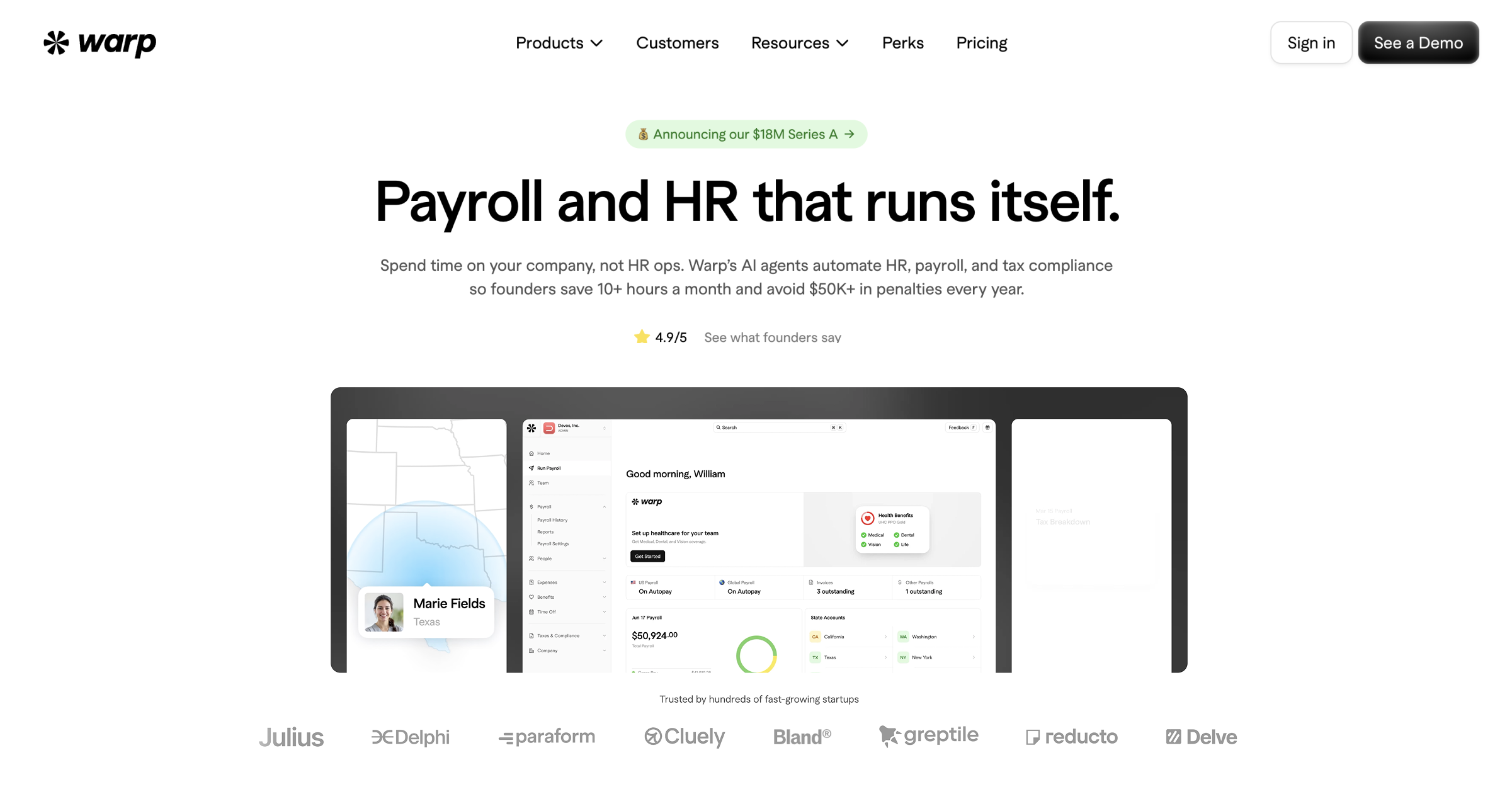
Warp

$264/mo for fiveFree trial

8.3

Warp files multi-state payroll taxes and pays contractors in 200+ countries

Warp is a US payroll platform built for startups that hire across states: it registers state tax accounts, files and pays taxes, and backs that with a published $1M penalty guarantee. Benefits are brokered and administered in-house. Best for small, fast-growing US teams; limits are a short review record and thin self-service details.

Price: Warp Starter $35/person/mo + $89/mo platform fee (up to 3 states); Pro $50 + $129 (50 states); monthly or annual billing
Add-ons and limits: Platform fee required; Enterprise custom, annual billing only, platform fee waived; Benefits Brokerage add-on (ACA/COBRA) no added per-person feeChecked Nov 14, 2026 · pricing page

Strengths

  • Automates state tax registrations
  • Check says onboarding takes under 5 min
  • Pays contractors in 200+ countries

Watch out for

  • Relies on Check and Middesk infrastructure
  • Limited native HRIS features
  • No phone support listed below Enterprise
Who it suits

Best for

  • US-based startups wanting automated state tax compliance
  • Founders managing US employees and global contractors together
  • Tech-forward companies wanting a hands-off payroll experience

Not ideal for

  • Companies needing to hire full-time employees (EOR) outside the US
  • Mid-market or enterprise companies with complex HR requirements
Scores on 11 criteria
  • Payroll calculation & payments8.0Pays employees and contractors each cycle on Check's embedded payroll; garnishments and off-cycle runs not described on Warp pages. source: checkhq.com
  • Tax withholding, filing & year-end forms9.1Tax registrations, filings and payments in all 50 states; published $1M guarantee covers penalties from Warp errors. source: warp.co
  • Benefits enrollment & administration8.4In-house broker, EDI to carriers, AI life-event detection, auto deduction sync; included in Starter and Pro; Warp acts as broker. source: warp.co
  • ACA, COBRA & benefits compliance7.8COBRA notices automatic; ACA and COBRA compliance listed only under the Benefits Brokerage add-on; no 1094/1095 detail. source: warp.co
  • Employee self-service7.0No native mobile app or employee portal details found on Warp's homepage or pricing page. source: warp.co
  • Accounting, time & carrier integrations8.4QuickBooks Online, Xero, Slack on Starter; ATS on Pro; NetSuite and custom ERP on Enterprise; Okta. source: warp.co
  • Ease of use & time to value8.8New employees onboarded in under 5 minutes (Check case study); G2 Easiest Admin Payroll badge. source: checkhq.com
  • Total cost & pricing transparency9.0Published: Starter $35/person/mo + $89 platform fee; Pro $50 + $129; benefits admin included. source: warp.co
  • Product track record7.5G2 4.4/5 from 32 reviews (Jul 2026 snapshot); young product, no analyst placement. source: g2.com
  • Security & access control9.0SOC 2 Type II stated, AES-256 at rest, TLS 1.2+, enforced MFA, role-based access; no ISO 27001 or SSO stated. source: warp.co
  • Multi-country payrollnot scored6.5Pays contractors in 200+ countries; no employee payroll outside the US found. source: warp.co
Documented weaknesses (3)
  • Warp's pricing page lists only email and live chat support on Starter and Pro, with no phone support, and some users report frustration with support on complex issues. source: warp.co
  • The platform relies on third-party infrastructure (Check for payroll, Middesk for compliance) rather than native engines, which can limit customization and deep issue resolution. source: rippling.com
  • Warp lacks deep HRIS functionality found in mature competitors, such as native device management, performance reviews, and advanced workflow automation. source: rippling.com
Questions (2)
How fast can Warp onboard a new employee?
Under 5 minutes, according to Warp's payroll infrastructure partner Check.
How much does Warp Starter cost?
The Starter tier is $35 per person per month plus an $89 monthly platform fee and covers up to 3 states, per Warp's pricing page.
14

BambooHR

Quote onlyFree trialSOC 2

8.2

BambooHR syncs project pay rates straight into payroll

BambooHR Payroll is a US payroll add-on to the BambooHR HR system, with tax filing, garnishments, multi-rate pay and a strong employee app; Benefits Administration is a second add-on with carrier connections. Best for small and mid-size US companies already on BambooHR. Limits: no ACA or COBRA tools and quote-only add-on pricing.

Price: BambooHR Core HR $250/mo flat for 25 or fewer employees (Pro $425, Elite $650); Payroll and Benefits Admin add-ons quote only
Add-ons and limits: Payroll and Benefits Administration are paid add-ons on any plan; 15% off when both are combined (US employees)Checked Nov 14, 2026 · pricing page

Strengths

  • Auto-syncs project hours to payroll
  • Handles multi-rate pay automatically
  • Holds a SOC 2 Type 2 report

Watch out for

  • Payroll is a paid add-on
  • Support has slowed, per reviews
  • Payroll add-on price not published
Who it suits

Best for

  • Small to mid-sized businesses centralizing core HR data.
  • Teams prioritizing intuitive onboarding and time-off tracking.

Not ideal for

  • Very small companies on tight budgets avoiding add-on costs.
  • Large enterprises needing highly specialized payroll tools.
Scores on 11 criteria
  • Payroll calculation & payments8.3Unlimited and multi-rate payroll, garnishments, audit trail, direct deposit, earned wage access; off-cycle runs not described. source: bamboohr.com
  • Tax withholding, filing & year-end forms8.4Federal, state and local tax filing for US workers, W-2 creation; 1099s not filed automatically by default; no guarantee. source: bamboohr.com
  • Benefits enrollment & administration8.2Benefits Administration add-on: open enrollment, mobile enrollment, carrier connections for select national providers, deductions auto-sync. source: bamboohr.com
  • ACA, COBRA & benefits compliance6.5ACA 1094/1095 and COBRA not on benefits pages; COBRA only through partner integrations such as Anuvi. source: bamboohr.com
  • Employee self-service8.8Mobile app shows paystub history; employees update withholdings and direct deposit; benefits enrollment on phone. source: bamboohr.com
  • Accounting, time & carrier integrations8.8150+ integrations; journal entries sync to QuickBooks Online, Xero, NetSuite, Sage Intacct; 401(k) with Human Interest, 401GO. source: bamboohr.com
  • Ease of use & time to value8.6Capterra 4.6/5 from 3,653 reviews (Oct 2026) for BambooHR overall; payroll-only rating not separate. source: capterra.com
  • Total cost & pricing transparency7.0Core HR published ($250/mo flat to 25 employees), but Payroll and Benefits add-ons are quote-only. source: bamboohr.com
  • Product track record8.6Capterra 4.6/5 from 3,653 reviews (Oct 2026), suite-level not payroll-specific; no analyst payroll placement found. source: capterra.com
  • Security & access control9.0Annual third-party SOC 1 and SOC 2 Type 2 audits, native MFA, encryption in transit and at rest; no ISO 27001. source: bamboohr.com
  • Multi-country payrollnot scored5.5Payroll is for US-based employees only; international staff go through partners or an EOR. source: bamboohr.com
Documented weaknesses (3)
  • The mobile app is reported to be buggy, slow, and lacking features compared to the web version, affecting on-the-go time tracking. source: jibble.io
  • Customers have reported a decline in support quality, specifically citing the removal of the chat feature and slow email response times. source: reddit.com
  • The Payroll and Benefits Administration add-ons are priced only by quote, and key modules like Payroll and Time Tracking cost extra on top of the published Core HR price. source: bamboohr.com
Questions (2)
Is payroll included with BambooHR?
No. Payroll is a separate paid add-on priced by quote, per BambooHR's pricing page. Core HR is $250 a month flat for 25 or fewer employees, then $10.25 per employee a month; Pro and Elite cost more.
Does BambooHR handle multi-rate pay automatically?
Yes. Project Pay Rates let admins set different pay rates per project and sync them into payroll automatically, per BambooHR's product updates. Salaried employees can also be allocated by percentage.
15

Fingercheck

$129/mo for fiveFree trialSOC 2

8.2

Fingercheck bundles job costing, but cancellation fees bite

Fingercheck is all-in-one payroll and HR for small employers with hourly or field crews, pairing published per-employee pricing, multi-state tax filing, a native time-clock app and free certified payroll reports. Benefits administration and ACA reporting need the 360 Plus plan, health coverage comes through partners, and year-end and cancellation fees add cost.

Price: Fingercheck 360 $79/mo + $10/employee (promo: 50% off 3 months); 5-employee minimum; W-2/1099 fee extra at year-end
Add-ons and limits: Benefits admin and ACA need 360 Plus ($129/mo + $12/employee); garnishments, 401(k) integration and HR Compliance are monthly add-ons; health benefits via Meridio by quoteChecked Nov 14, 2026 · pricing page

Strengths

  • Unlimited payroll runs, one price
  • Built-in Certified Payroll reporting
  • GPS-verified job costing included

Watch out for

  • Non-prorated cancellation fees
  • Not BBB accredited (rated A)
  • Mobile app glitches reported
Who it suits

Best for

  • Small to mid-sized businesses tracking hourly field workers.
  • Companies utilizing biometric time clock integrations.

Not ideal for

  • Large enterprises with complex, customizable payroll needs.
  • Users expecting perfectly consistent customer support.
Scores on 10 criteria
  • Payroll calculation & payments8.5Unlimited payroll on 360 plan, direct deposit, next-day pay; wage garnishment is a paid monthly add-on. source: fingercheck.com
  • Tax withholding, filing & year-end forms8.5Taxes calculated, filed and paid; multi-state in one pay cycle; W-2/1099 generated with an extra year-end fee; no penalty guarantee. source: fingercheck.com
  • Benefits enrollment & administration7.6Benefits admin only on 360 Plus ('Run your current health plans'); health coverage via Meridio by quote; no health carrier EDI found. source: fingercheck.com
  • ACA, COBRA & benefits compliance7.2ACA reporting on 360 Plus; optional 1094/1095-C filing fee at exit; COBRA not mentioned on Fingercheck pages. source: fingercheck.com
  • Employee self-service8.9Native iOS and Android app with clock-in, scheduling, pay stubs, timecards and credential uploads. source: fingercheck.com
  • Accounting, time & carrier integrations7.8QuickBooks, Sage, Rent Manager, Human Interest 401(k), Meridio; developer site linked but API detail thin. source: fingercheck.com
  • Ease of use & time to value8.74.7/5 from 352 G2 reviews as of June 2026 (cited by Fingercheck); self-serve plans built for small businesses. source: fingercheck.com
  • Total cost & pricing transparency8.5Published per-employee prices; 5-employee minimum spend, year-end form fees and paid add-ons (garnishments, 401(k), HR Compliance). source: fingercheck.com
  • Product track record8.3Vendor states 5,000+ businesses and 200,000+ employees; G2 4.7 from 352 reviews (June 2026); no analyst placement. source: fingercheck.com
  • Security & access control8.6States SOC 2 Type II, 256-bit SSL, change audit logs, AWS hosting; two-factor login optional and SSO not mentioned. source: fingercheck.com
Documented weaknesses (3)
  • The vendor imposes strict cancellation fees, including charging for the full final month (no prorating) and a 'Year-end processing fee' of $200 plus per-form fees if cancelling near year-end. source: help.fingercheck.com
  • Users have reported inconsistent customer support experiences, with some citing long response times and unresolved issues as a source of frustration. source: g2.com
  • The company is not BBB accredited; BBB rates it A, citing one unresolved complaint (checked Nov 2026). source: bbb.org
Questions (2)
Does Fingercheck charge extra for Certified Payroll reports?
No. Certified Payroll reporting for construction compliance is included at no extra cost across all Fingercheck payroll pricing options.
What happens if I cancel Fingercheck near year-end?
The final month is billed in full with no prorating. A year-end closure adds $50 per month until 12/31 (billed as a lump sum) and a $200 processing fee plus $6 per W-2/1099 form, 5-form minimum; ACA 1094/1095-C filing is optional at $250 plus $6 per form.
16

Greenshades

Quote onlyFree trial

8.2

Greenshades runs multi-state payroll inside your ERP with no tax pre-funding

Greenshades is payroll and benefits administration for mid-size employers, strongest for companies on Microsoft Dynamics GP, Business Central, Sage Intacct or Acumatica that run multi-state payroll without pre-funding taxes. Native benefits include EDI carrier feeds and ACA eligibility tracking. Pricing is quote-only, and most local tax returns are submitted by the customer.

Price: Greenshades Payroll & HR: quote only, no current public price list; year-end forms priced by online estimate
Add-ons and limits: Benefits, Tax & Compliance and year-end print and mail are priced separately by quote or estimateChecked Nov 14, 2026 · pricing page

Strengths

  • Garnishments handled in the pay run
  • No payroll tax pre-funding required
  • Deep Dynamics and Acumatica integration

Watch out for

  • One reviewer calls MA PFML cumbersome
  • No public pricing available
  • Interface lag reported by users
Who it suits

Best for

  • Businesses utilizing Microsoft Dynamics ERP systems.
  • Companies with complex pay rules needing in-house tools.

Not ideal for

  • Small businesses using simple tools like QuickBooks [cite: 22, 23].
  • Companies preferring outsourced payroll providers [cite: 22, 25].
Scores on 10 criteria
  • Payroll calculation & payments8.7Off-cycle and correction runs with no per-run fee, garnishments applied with disposable-wage limits each run, pre-run validation, direct deposit. source: go.greenshades.com
  • Tax withholding, filing & year-end forms8.2Prepares, files and pays federal, state and supported local taxes; most local returns submitted by the customer; customer responsible for timely filing. source: go.greenshades.com
  • Benefits enrollment & administration8.6Native self-service open enrollment, life events, EDI connections to carriers, elections flow into payroll deductions on the same platform. source: go.greenshades.com
  • ACA, COBRA & benefits compliance8.3ACA eligibility calculated continuously from payroll and hours, 1095-C generation; COBRA listed but native vs partner not stated. source: go.greenshades.com
  • Employee self-service8.5Green Employee gives pay stubs, W-2s and time off; self-service benefits enrollment with side-by-side plan comparison. source: go.greenshades.com
  • Accounting, time & carrier integrations9.0Pre-built connectors for Dynamics GP, Business Central, Sage Intacct, Acumatica, Bullhorn and Avionte, plus an open API. source: go.greenshades.com
  • Ease of use & time to value8.0Capterra 4.4 from 26 reviews (2026 snapshot), small sample; no implementation timeline published. source: capterra.com
  • Total cost & pricing transparency6.8No current public price list; quote only. Year-end forms priced by online estimate. Old 2021 partner sheet listed $7-$13/employee/mo. source: go.greenshades.com
  • Product track record8.0Vendor states 4,000+ companies and 5.8M paychecks delivered; Capterra 4.4 from 26 reviews; no analyst placement found. source: go.greenshades.com
  • Security & access control8.0States regular SOC 1 and SOC 2 evaluations (type not stated), MFA, IP whitelisting, Azure AD login; no trust page found. source: go.greenshades.com
Documented weaknesses (2)
  • A G2 reviewer reports that Massachusetts Paid Family and Medical Leave (MA PFML) filings are cumbersome. source: g2.com
  • Some users experience system lag when accessing payment history or paystubs, particularly during high-traffic periods. source: g2.com
Questions (2)
Does Greenshades require pre-funding payroll taxes?
No. Greenshades says nothing leaves your account until you approve each filing, so tax money is not pulled on the day you run payroll.
What ERPs does Greenshades integrate with?
Greenshades has pre-built connectors for Microsoft Dynamics GP and Business Central, Sage Intacct and Acumatica, plus Bullhorn and Avionte for staffing agencies, and an open API.
17

Netchex

Quote onlyFree trialSOC 2

8.2

Netchex bundles payroll, benefits and a free engagement tool

Netchex is a US payroll and HR suite that files payroll taxes, handles garnishments and offers native or Employee Navigator benefits with ACA 1094-C/1095-C filing and COBRA. It suits small and mid-size US employers wanting one bundled vendor. Limits: every plan is quote-only and its SOC report type is not public.

Price: Core, All-In and Flex plans are quote-only; no public prices. Benefits on All-In and Flex (or Flex add-on)
Add-ons and limits: Benefits, Carrier Communication, 401K, NetEnroll are Flex add-ons; included in All-In except Flex-only itemsChecked Nov 14, 2026 · pricing page

Strengths

  • Free Community engagement platform included
  • Daxko and Dealertrack integrations
  • AES-256 encryption, SOC 2 Type 2 hosting

Watch out for

  • Mobile app rated 2.7 stars on Apple
  • Recruiting relies on third-party integrations
  • Reporting can be complex
Who it suits

Best for

  • Mid-sized businesses wanting an affordable, all-in-one HRIS.
  • Healthcare, retail, or hospitality teams needing easy UI.

Not ideal for

  • Large enterprises needing advanced architectural scaling.
  • Companies requiring complex, high-volume software integrations.
Scores on 10 criteria
  • Payroll calculation & payments8.6Garnishment calculation and remittance, direct deposit, pay cards, earned wage access, unlimited payroll runs; off-cycle runs not described. source: netchex.com
  • Tax withholding, filing & year-end forms8.5Calculates, files and pays payroll taxes at every level, W-2s and 1099s, multi-state; no published tax-error guarantee. source: netchex.com
  • Benefits enrollment & administration8.5Native Netchex Benefits or Employee Navigator, EDI feeds to major carriers, life events; benefits only on All-In or Flex plans. source: netchex.com
  • ACA, COBRA & benefits compliance8.6Tracks hours and files 1094-C and 1095-C automatically; COBRA notices plus employee payment portal. source: netchex.com
  • Employee self-service8.2iOS app 4.4/5 from 83 ratings (Nov 2026); listing names punches, pay, time off; mobile benefits enrollment. source: apps.apple.com
  • Accounting, time & carrier integrations8.6156+ integration partners, 109 API integrations, mostly 401(k); accounting limited to QuickBooks; Employee Navigator file feed. source: netchex.com
  • Ease of use & time to value8.2G2 4.5/5 from 153 reviews (Jul 2026 snapshot); no implementation timeline published. source: g2.com
  • Total cost & pricing transparency6.5Core, All-In and Flex plans are all quote-only; no figure on the pricing page. source: netchex.com
  • Product track record8.37,500+ organizations (Netchex, Nov 2026); G2 4.5/5 from 153 reviews (Jul 2026); no analyst placement found. source: netchex.com
  • Security & access control7.0Payroll page cites only advanced encryption and secure data centers; Trust Center content could not be read. source: trust.netchex.com
Documented weaknesses (2)
  • The mobile application suffers from significant reliability issues, including bugs, crashes, and login failures, which negatively impacts the experience for deskless workers. source: apps.apple.com
  • Recruiting functionality is not natively built-in but relies on integrations (e.g., HireRight or Hireology) or older architecture, which can create a disjointed user experience compared to fully native suites. source: outsail.co
Questions (2)
Does Netchex charge extra for employee engagement tools?
No. The Community recognition and engagement platform is included free for existing clients.
Is Netchex's mobile app reliable?
The iOS app rates 4.4/5 from 83 ratings on the Apple App Store (Nov 2026). It covers punches, pay and time-off requests; confirm pay stub and benefits access in a demo.
18

EPAY

Quote onlyFree trialSOC 2

8.0

EPAY charges one fixed rate, but its mobile app rates 2.5/5

EPAY is a US payroll, time and benefits suite sold as a service-heavy bundle at one per-employee rate, with ACA forms and COBRA handled by its team. It suits mid-size and large hourly employers who want outsourced help. Weak points: no published price, thin integration detail and a poorly rated mobile app.

Price: EPAY HCM: one fixed all-inclusive rate per employee/mo (all modules, 24/7 support); no figure published, quote only
Add-ons and limits: None stated; vendor says everything is included in the per-employee rateChecked Nov 14, 2026 · pricing page

Strengths

  • Fixed rate per employee, no hidden fees
  • Handles complex union pay rules
  • FedRAMP Ready listing for government use

Watch out for

  • Mobile app crashes frequently
  • Interface lacks modernization
  • No public pricing
Who it suits

Best for

  • Mid-to-large businesses with 200 to 100,000 employees.
  • Industries managing complex union contracts and overtime rules.
  • Distributed workforces needing GPS and mobile tracking.

Not ideal for

  • Small businesses that would find it too expensive or complex.
  • Users desiring a highly modern, flashy dashboard interface.
Scores on 10 criteria
  • Payroll calculation & payments8.3Garnishment setup and payment, auto-sequenced deductions, free paycards and on-demand pay; direct deposit not described on the payroll page. source: epaysystems.com
  • Tax withholding, filing & year-end forms8.3Tax calculation for all states and local jurisdictions, multi-state workers, reciprocity, timely filings; no penalty guarantee and no 1099 mention. source: epaysystems.com
  • Benefits enrollment & administration8.4Native self-service new hire and open enrollment, automatic transfers to carriers, premium and retro deduction rules; EDI not named. source: epaysystems.com
  • ACA, COBRA & benefits compliance8.8Generates 1094 and 1095 forms with affordability tests; EPAY team administers COBRA, FMLA and FSA/HSA as a service. source: epaysystems.com
  • Employee self-service7.8Bilingual self-service portal with electronic W-2s; the EPAY Time Plus iOS app rates 2.5/5 from 83 ratings (Nov 2026). source: apps.apple.com
  • Accounting, time & carrier integrations7.4Says it integrates with financial, ERP and accounting systems but names no accounting or carrier partners and no public API. source: epaysystems.com
  • Ease of use & time to value7.4Mobile app rated 2.5/5 from 83 App Store ratings (Nov 2026); G2 and Capterra pages could not be read. source: apps.apple.com
  • Total cost & pricing transparency7.3One fixed all-inclusive rate per employee per month, but no dollar figure is published; quote from sales. source: epaysystems.com
  • Product track record7.6EPAY cites 75,000+ worksites and US Army use; no analyst placement found and review sites could not be read. source: epaysystems.com
  • Security & access control7.6Private cloud in a SAS 70 Type II / SSAE data center plus a FedRAMP Ready listing; no EPAY SOC 2, SSO or RBAC stated. source: epaysystems.com
Documented weaknesses (3)
  • Numerous user reviews cite significant instability with the mobile application, including crashes, login loops, and failure to record punches correctly. source: apps.apple.com
  • Users have reported that the web interface can be slow to load between pages, impacting workflow efficiency. source: softwarefinder.com
  • Some administrators report limitations in customizing reports or deleting test data, indicating some rigidity in the system. source: g2.com
Questions (2)
How is EPAY priced?
EPAY uses a single fixed rate per employee per month that includes support, unlimited admin licenses, unlimited reports, and tax filings, according to its 2022 pricing document; no dollar figure is published.
Is the EPAY mobile app reliable?
Reviews on the App Store report crashes and login loops, including punches that show the wrong clock-in status, so mobile stability is a documented weak point.
19

Namely

Quote onlyFree trialSOC 2

8.0

Namely unifies HR and payroll, but its search frustrates users

Namely is an HR, payroll and benefits platform for mid-sized US companies that want one employee record, built-in ACA reporting and optional managed payroll and benefits services. Benefits administration is a separate module, prices are quote-only, and G2 reviewers rate it 3.9 of 5 (331 reviews, July 2026).

Price: Namely: quote only, no prices published on namely.com; Benefits Administration is a separately sold Enhanced Module
Add-ons and limits: Benefits Administration, Applicant Tracking and other Enhanced Modules; Managed Payroll, Benefits and HR services priced separatelyChecked Nov 14, 2026 · pricing page

Strengths

  • HR, payroll and time on one record
  • Built-in ACA reporting
  • Optional managed payroll and HR

Watch out for

  • Slow customer support response
  • Weak internal search function
  • Implementation fee (Outsail est.)
Who it suits

Best for

  • Mid-sized companies (50-1,000 employees) valuing user interface and engagement
  • Organizations looking for co-managed payroll services
  • Companies wanting a social-media-like feed for employee communication

Not ideal for

  • Large enterprises (1,000+ employees) requiring complex scalability
  • Healthcare facilities needing deep, native PBJ reporting tools
  • Very small businesses needing a low-cost, basic solution
Scores on 10 criteria
  • Payroll calculation & payments8.6Unlimited on- and off-cycle payrolls, any pay frequency, garnishment support, direct deposit self-service. source: namely.com
  • Tax withholding, filing & year-end forms8.2Lists Tax Compliance and Filing and W-2/1099 delivery; remittance, multi-state detail and penalty guarantee not stated. source: namely.com
  • Benefits enrollment & administration8.4Benefits Administration is an Enhanced Module: open enrollment, life events, electronic carrier connections, deductions sync with payroll. source: namely.com
  • ACA, COBRA & benefits compliance7.8Built-in ACA reporting; COBRA appears only as Managed Payroll service support, form-level detail not given. source: namely.com
  • Employee self-service8.3Namely mobile app gives pay stubs, PTO and benefits view; enrollment via mobile or desktop; app platforms not stated. source: namely.com
  • Accounting, time & carrier integrations7.8Payroll, HR, benefits and time integrated; standard GL export; developer API site; few named accounting integrations. source: namely.com
  • Ease of use & time to value7.5G2 3.9/5 from 331 reviews (July 2026 snapshot); reviewers flag slow support and weak search. source: g2.com
  • Total cost & pricing transparency6.5No published prices on namely.com; quote by package after a sales call. source: namely.com
  • Product track record7.6Vendor says over 1,200 mid-sized companies (undated); G2 3.9 from 331 reviews; no analyst placement found. source: namely.com
  • Security & access control8.2States role-based data access and annual SOC 1 and SOC 2 audits; report type, SSO and audit logs not stated. source: namely.com
Documented weaknesses (3)
  • Users consistently report slow customer support response times and frustration with the 'pod' support model. source: outsail.co
  • Multiple user reviews cite a 'terrible' or ineffective internal search function for finding specific employee data. source: gartner.com
  • Reporting capabilities are described as rigid or limited by some users, occasionally requiring manual workarounds. source: softwarefinder.com
Questions (2)
How much does Namely cost?
Namely does not publish prices; it quotes by package after a sales call, and Benefits Administration is sold as a separate Enhanced Module. Third-party estimates are not vendor figures, so get a written quote that lists any implementation fee.
Is benefits administration in Namely's core?
No. The core covers HR, onboarding, payroll, time, reporting and a mobile app; Benefits Administration is a separately sold Enhanced Module.

No tool matches.

Best by job

These tools are built for one kind of business or one part of the work, so they are compared within their own group, not against the general ranking.

Employer of record & global payroll 9 tools

  • DeelVisit

    Global payroll and employer of record platform for companies paying employees and contractors across many countries.

  • Global ExpansionVisit

    Employer of record and global payroll provider for companies with global mobility and expat needs across 200+ countries.

  • IRISVisit

    Managed multi-country payroll service covering 135+ countries, aimed mainly at UK-based companies expanding abroad.

  • Papaya GlobalVisit

    Global payroll and employer of record platform for enterprises paying workforces across 160+ countries.

  • PlayrollVisit

    Employer of record and contractor management service for companies hiring abroad without local entities.

  • RemoFirstVisit

    Employer of record service for startups hiring employees compliantly in 180+ countries.

  • RemoteVisit

    Global payroll and employer of record platform with owned entities for companies hiring employees in other countries.

  • UKG One ViewVisit

    UKG Global Payroll, a multi-country payroll layer for multinationals on UKG Pro or Ready; UKG's US suite is not on this page.

  • VistraVisit

    Corporate services firm offering managed global payroll and entity management for mid-sized multinationals.

PEOs & outsourced payroll services 5 tools

  • Adams KeeganVisit

    PEO and ASO provider running payroll, benefits and HR as a managed service with assigned consultants; site blocked (403), decided from the card.

  • Complete Payroll SolutionsVisit

    Payroll service bureau running payroll, tax and benefits on the isolved platform with a dedicated representative.

  • GNSAVisit

    Outsourced payroll and HR administration provider reselling UKG Ready as PeoplePro, with benefits administration for several industries.

  • PSS Nonprofit PayrollVisit

    Payroll service provider processing payroll, tax filings and benefits for small and midsize businesses, here reviewed for nonprofits.

  • TriNetVisit

    Professional employer organization running payroll, benefits and HR compliance as co-employer for small and midsize businesses.

Construction & certified payroll 7 tools

  • FOUNDATIONVisit

    Construction payroll module of the FOUNDATION accounting ERP, handling prevailing wage, union and certified payroll for contractors.

  • Construction payroll software for self-performing contractors on Sage or Foundation ERP, with union rules and certified payroll.

  • LumberVisit

    Construction payroll and workforce platform automating union rates, prevailing wages and certified payroll reports for contractors.

  • MiterVisit

    Payroll, HR, expenses and field ops platform built for US construction contractors, with certified and union payroll.

  • Payroll4ConstructionVisit

    Construction payroll software and service for contractors with union wages, prevailing wage and certified payroll reporting.

  • Trimble Viewpoint VistaVisit

    Viewpoint Vista construction ERP with union, multi-state and certified payroll for large contractors.

  • Workforce PayHubVisit

    Construction payroll platform and service automating prevailing wage compliance for contractors with regional support.

Benefits-only tools (HRA, ICHRA, ben admin) 3 tools

  • CiphrVisit

    UK employee benefits and salary sacrifice platform; it does not run US payroll.

  • PeopleKeepVisit

    HRA administration platform letting small employers reimburse individual health coverage tax-free; it does not run payroll.

  • Benefits administration platform for HSAs, FSAs and COBRA; it does not run payroll.

Hourly scheduling with payroll 5 tools

  • Fingercheck8.2 in the rankingVisit

    Payroll with tax filing, time tracking and benefits administration for small and midsize employers with hourly, deskless staff in any industry.

    Price: Fingercheck 360 $79/mo + $10/employee (promo: 50% off 3 months); 5-employee minimum; W-2/1099 fee extra at year-end
  • EPAY8.0 in the rankingVisit

    HR and payroll suite with tax filing, benefits administration and scheduling, built for employers with hourly, distributed workforces.

    Price: EPAY HCM: one fixed all-inclusive rate per employee/mo (all modules, 24/7 support); no figure published, quote only
  • HomebaseVisit

    Scheduling and time clock app for small hourly teams with a payroll add-on that turns tracked hours into wages.

  • When I WorkVisit

    Shift scheduling and time tracking app that syncs hours to outside payroll providers; it has no payroll of its own.

  • WorkstreamVisit

    Mobile-first hiring and payroll platform built for hourly restaurant and franchise teams, synced with Toast POS.

Healthcare payroll 1 tools

  • ViventiumVisit

    HCM, payroll and benefits platform built only for post-acute healthcare such as skilled nursing and home health; no rubric segment fits.

Side by side

Tap a column to sort by it.

ADP8.89.19.08.89.09.09.08.47.09.49.2
Gusto8.88.88.78.78.48.88.88.89.09.08.6
Rippling8.78.78.69.19.08.59.38.57.09.29.4
Paychex8.69.09.18.98.59.08.58.07.08.49.3
Paylocity8.68.88.88.88.68.89.18.26.88.69.0
Dayforce8.59.28.78.78.09.08.38.06.59.49.0
OnPay8.58.98.98.26.58.38.29.09.58.78.8
APS8.48.58.78.38.88.57.98.48.68.08.0
Workday8.49.07.88.87.99.09.07.66.39.29.4
isolved HCM8.38.68.68.88.88.78.07.96.88.48.4
Paycom8.38.98.68.69.08.96.88.06.58.89.2
QuickBooks8.38.88.87.66.08.39.08.68.88.48.7
Warp8.38.09.18.47.87.08.48.89.07.59.0
BambooHR8.28.38.48.26.58.88.88.67.08.69.0
Fingercheck8.28.58.57.67.28.97.88.78.58.38.6
Greenshades8.28.78.28.68.38.59.08.06.88.08.0
Netchex8.28.68.58.58.68.28.68.26.58.37.0
EPAY8.08.38.38.48.87.87.47.47.37.67.6
Namely8.08.68.28.47.88.37.87.56.57.68.2

Features at a glance

What each ranked tool offers, from the vendor's own pages. ✓ yes, ✗ no, – not stated. A dot marks a cell with more detail.

ToolPayroll tax filing and remittanceW-2 and 1099 filingMulti-state payrollBenefits enrollmentCarrier connectionsACA reportingFree planFree trialSOC 2 / ISOSSOPublic APIMobile app
ADP✓ yes✓ yes✗ no✓ yes✓ yes✓ yes✗ no✓ yes✓ yes✓ yes✓ yes✓ yes
Gusto✓ yes✓ yes✓ yes✓ yes✗ no✓ yes✗ no✓ yes✓ yes✓ yes✓ yes✓ yes
Rippling✓ yes✓ yes✗ no✓ yes✓ yes✓ yes✗ no✓ yes✓ yes✓ yes✓ yes✓ yes
Paychex✓ yes✗ no✓ yes✓ yes✓ yes✓ yes✗ no✓ yes✓ yes✓ yes✓ yes✓ yes
Paylocity✓ yes✓ yes✓ yes✓ yes✓ yes✓ yes✗ no✓ yes✓ yes✓ yes✓ yes✓ yes
Dayforce✓ yes✓ yes✓ yes✓ yes✓ yes✓ yes✗ no✗ no✓ yes✗ no✓ yes✓ yes
OnPay✓ yes✓ yes✓ yes✓ yes✗ no✗ no✗ no✓ yes✗ no✗ no✗ no✓ yes
APS✓ yes✓ yes✓ yes✓ yes✓ yes✓ yes✗ no✓ yes✓ yes✓ yes✓ yes✓ yes
Workday✓ yes✓ yes✗ no✓ yes✓ yes✓ yes✗ no✗ no✓ yes✗ no✓ yes✓ yes
isolved HCM✓ yes✓ yes✗ no✓ yes✓ yes✓ yes✗ no✓ yes✗ no✓ yes✓ yes✓ yes
Paycom✓ yes✓ yes✗ no✓ yes✓ yes✓ yes✗ no✓ yes✓ yes✓ yes✓ yes✓ yes
QuickBooks✓ yes✓ yes✓ yes✓ yes✗ no✗ no✗ no✓ yes✓ yes✓ yes✓ yes✓ yes
Warp✓ yes✓ yes✓ yes✓ yes✓ yes✓ yes✗ no✓ yes✗ no✓ yes✓ yes✓ yes
BambooHR✓ yes✓ yes✗ no✓ yes✓ yes✗ no✗ no✓ yes✓ yes✓ yes✓ yes✓ yes
Fingercheck✓ yes✓ yes✓ yes✓ yes✓ yes✓ yes✗ no✓ yes✓ yes✓ yes✓ yes✓ yes
Greenshades✓ yes✓ yes✓ yes✓ yes✓ yes✓ yes✗ no✓ yes✗ no✓ yes✓ yes✓ yes
Netchex✓ yes✓ yes✓ yes✓ yes✓ yes✓ yes✗ no✓ yes✓ yes✓ yes✓ yes✓ yes
EPAY✓ yes✓ yes✓ yes✓ yes✓ yes✓ yes✗ no✓ yes✓ yes✓ yes✓ yes✓ yes
Namely✓ yes✓ yes✗ no✓ yes✓ yes✓ yes✗ no✓ yes✓ yes✓ yes✓ yes✓ yes

What we found

8.8Top score: ADP
6 of 19publish a price
15 of 19state SOC 2 or ISO
17 of 19offer a free trial
8910ADP 8.8Gusto 8.8Rippling 8.7Paychex 8.6Paylocity 8.6Dayforce 8.5OnPay 8.5APS 8.4Workday 8.4isolved HCM 8.3Paycom 8.3QuickBooks 8.3Warp 8.3BambooHR 8.2Fingercheck 8.2Greenshades 8.2Netchex 8.2EPAY 8.0Namely 8.0
One dot per ranked tool. Tap a dot for its review.

Scores. The 19 ranked tools score between 8.0 and 8.8, with ADP on top. Tools score best on payroll calculation & payments (average 8.7) and weakest on total cost & pricing transparency (average 7.4).

Price. 6 of 19 publish a price we could turn into a monthly figure for a small team; 13 are quote-only. Prices are measured differently (per user, per transaction, flat fee), so each card names the plan and what it leaves out.

Trust and trials. 15 of 19 state a SOC 2 report or ISO 27001 certificate on their own pages. 17 of 19 offer a free trial and 0 of 19 a free plan. We have not seen the vendors' audit reports; ask for the report before you sign.

How we scored payroll & benefits administration software

Every tool is scored 0 to 10 on each criterion from what its own pages, price list and documentation show, checked against independent sources. The overall score weights the criteria as below. A criterion we could not verify scores low rather than being guessed.

Payroll calculation & payments14%

Gross-to-net, deductions, garnishments, off-cycle runs, direct deposit.

Tax withholding, filing & year-end forms14%

Calculates, withholds, REMITS and FILES payroll taxes; W-2 / 1099 filing; multi-state; tax-error guarantee.

Benefits enrollment & administration16%

Open enrollment, life events, carrier connections (EDI), deductions synced to payroll; native, partner or add-on (say which).

ACA, COBRA & benefits compliance8%

ACA 1094 / 1095 reporting, COBRA administration, eligibility tracking.

Employee self-service8%

Pay stubs, tax forms, benefits elections in an app or portal.

Accounting, time & carrier integrations8%

Named accounting / time / benefits-carrier integrations, API. Security evidence does NOT count here.

Ease of use & time to value8%

Setup effort, implementation length and services needed, admin burden, user adoption evidence.

Total cost & pricing transparency10%

Base fee + per employee, benefits module price, broker / carrier requirements, year-end and implementation fees. Quote-only caps at 7.5.

Product track record8%

Evidence about THIS product only: analyst placement of the product (Gartner/Forrester/IDC), its own customer counts, its own review ratings and implementation outcomes. The parent company's revenue, size or stock is NOT evidence here (write it in parent_note).

Security & access control6%

SOC 2 Type II / ISO 27001 stated by the vendor, SSO, role-based permissions, audit logs, data residency.

Multi-country payrollshown, not scored

Payroll outside the US. Shown, never part of the overall.

Questions people ask

How much does payroll & benefits administration software cost?

6 of the 19 general tools we ranked publish a price we could turn into a small-team monthly figure. The lowest are Gusto (about $79 a month for a five-person team), OnPay (about $79 a month for a five-person team), QuickBooks (about $85 a month for a five-person team). 13 are quote-only, which usually means a sales call before you see a number. Prices were checked on the vendors' own pricing pages; each card shows the plan and the date.

Which payroll & benefits administration tools are SOC 2 or ISO 27001 certified?

15 of the 19 ranked tools state a SOC 2 report or ISO 27001 certificate on their own pages: ADP, Gusto, Rippling, Paychex, Paylocity, Dayforce, APS, Workday, Paycom, QuickBooks, BambooHR, Fingercheck, Netchex, EPAY, Namely.

Which payroll & benefits administration tools have a free trial?

ADP (Contact for trial), Gusto (Yes - 30 days), Rippling (Contact for trial), Paychex (Contact for trial), Paylocity (Contact for trial), OnPay (Yes - 30 days), APS (Contact for trial), isolved HCM (Contact for trial), Paycom (Contact for trial), QuickBooks (Yes - 30 days), Warp (Contact for trial), BambooHR (Yes - 7 days), Fingercheck (Yes - 30 days), Greenshades (Contact for trial), Netchex (Contact for trial), EPAY (Contact for trial), Namely (Contact for trial). Trial lengths and limits differ; each vendor's page has the detail.

What is the best payroll & benefits administration software?

ADP scores highest in our evaluation at 8.8 out of 10. A healthcare-focused payroll and HR platform with shift differential automation and EHR integrations. The runner-up is Gusto at 8.8.

More evaluations